
Skip the longest part of the day before the edit
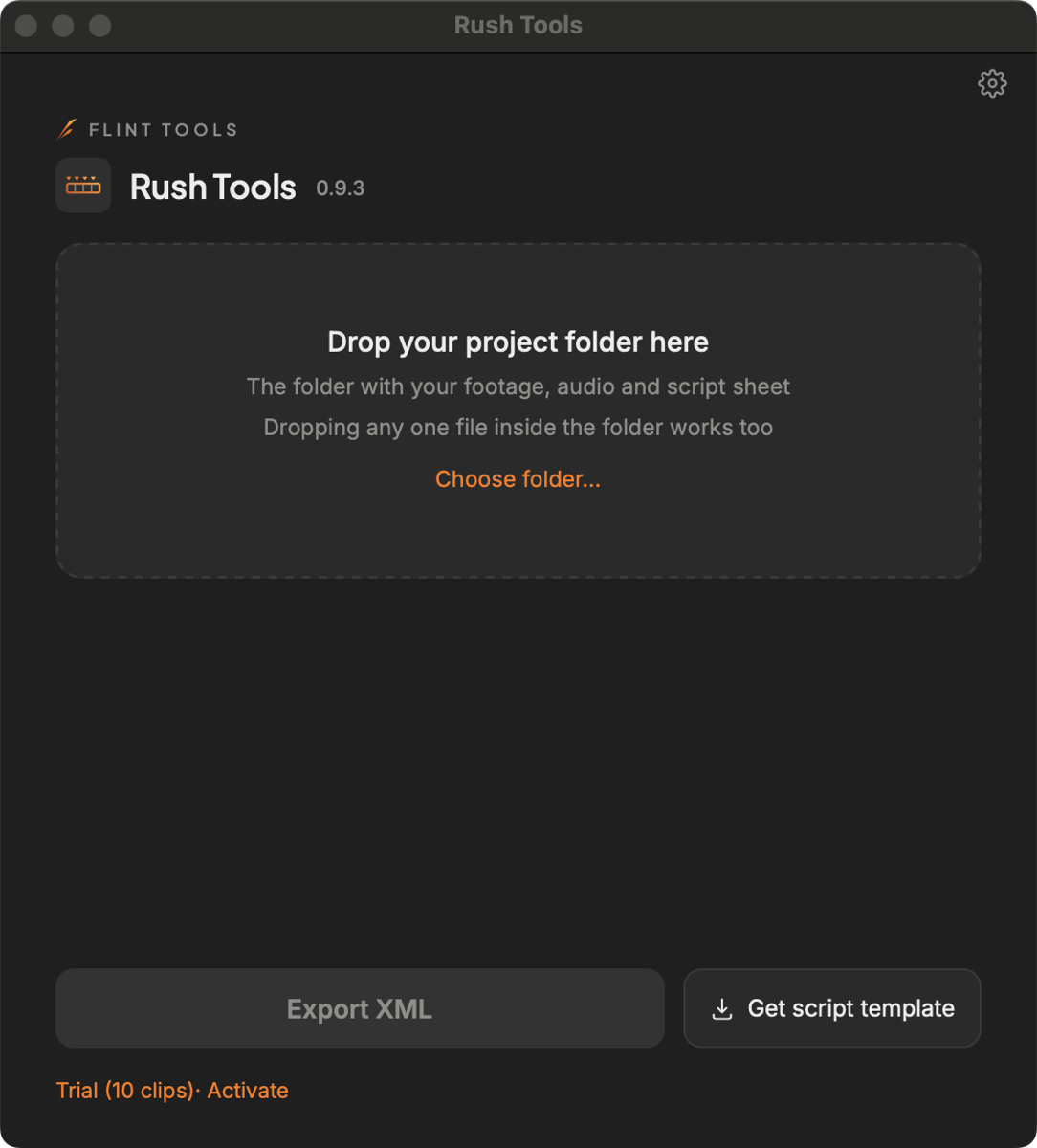
Point Rush Tools at a folder of footage, separate audio and a script sheet, and it builds an XML you can open in Premiere Pro.
macOS · signed and notarised by Apple · Intel and Apple silicon
How it works
Doing the sync and the sorting by hand takes longer the more clips you shot. Rush Tools takes on that part, and only that part. There are four steps.
1. Get the template
Download the script sheet template (.xlsx) from this page — you do not need to buy anything first. If you already have the app, "Get script template" at the bottom right gives you the same file.
2. Fill the template in on set
One take per row. Four columns are required: クリップ名 / Clip, カット / Cut, テイク / Take, 判定 / Judge. Do not change the header text.
3. Hand it a folder
Give it the folder holding your footage, your audio and the filled-in template. The layout inside does not matter — by shoot day or all in one pile, it looks through the folder and picks each one out.
4. You get an XML
It matches separately recorded audio to the picture using the sound, lines both up against the rows of your sheet, and builds a sequence you can open in Premiere Pro, plus a burned-in caption strip for checking takes.
It only ever writes the XML and its companions. Your original files are never modified. Clips already analysed are skipped next time.
Formats
| Video | .mov / .mxf / .mp4 |
|---|---|
| Audio | .wav / .bwf (for separately recorded sound) |
| Script sheet | .xlsx (template — one sheet, Japanese and English. The app can write out the same file) |
| Output | FCP7 XML (xmeml v5), opened in Premiere Pro |
| Not supported | BRAW (.braw), R3D (.r3d) |
Requirements
| macOS | Tested on macOS 15 (earlier versions untested) |
|---|---|
| Mac | Intel and Apple silicon (a separate build for each) |
| Premiere Pro | Import verified with Premiere Pro 26.5.1 (other versions untested) |
Trying it
Without registering, you can use it on up to 10 clips per project. There is no time limit.
Version 1.0.1. The installers are signed with Developer ID Installer and notarized by Apple.
Open the downloaded PKG and follow the installer.
Not sure which one? Open the Apple menu → About This Mac and look at Chip:
Apple M… means Apple silicon, Intel… means Intel.
If you cannot use administrator privileges, use the ZIP for Apple Silicon or the ZIP for Intel. Unzip it and move Rush Tools.app into your Applications folder.
Pricing (Japan)
| Rush Tools | ¥14,800 incl. tax — one-time, includes one year of updates. One key can be registered on up to 2 Macs (one in use at a time). |
|---|---|
| Renewal | ¥5,500 incl. tax per year. Versions released within your update period keep working even if you never renew (including their bug-fix releases). |
| FLINT All Access | ¥2,400 incl. tax per month — planned, not on sale yet. |
Sold in Japan only for now. If you would like Rush Tools where you are, write to [email protected] and tell us where — it helps us decide what to open next.
FAQ
- What happens if I do not renew?
- Every version released within your update period keeps working. You only need to renew to use versions released after it.
- Can I move to a new Mac?
- Yes — in the app, gear → Deactivate this Mac, then register on the new one. One key can be registered on up to 2 Macs (one in use at a time).
- Refunds?
- Generally no — you can try it on up to 10 clips per project without registering, so please check it on your own footage first. The one exception: if it does not work because of a fault on our side, we refund in full within 14 days of purchase. Write to [email protected].